Bragi
An immersive Spanish learning platform using Quest 3 XR to overlay vocabulary flashcards on real-world objects, with Google Cloud TTS/STT for pronunciation training and YOLOv5 object detection for contextual language learning.
Overview
BRAGI-master is an immersive Spanish learning platform that transforms real-world environments into interactive language classrooms using Quest 3 XR technology. The system detects objects in the user’s environment using YOLOv5 computer vision, then overlays contextually relevant Spanish vocabulary flashcards directly onto those objects using precise LiDAR-enhanced spatial positioning.
The platform integrates Google Cloud Text-to-Speech and Speech-to-Text services to provide authentic pronunciation training, allowing users to hear native Spanish pronunciation and practice speaking with real-time feedback. As users progress through vocabulary cards, the system automatically generates quiz flashcards to test retention and pronunciation accuracy, creating an adaptive learning experience that bridges digital content with physical reality.
Role & Context
I developed this immersive language learning platform as a solo project, combining my interests in XR technology, computer vision, and educational applications:
- Educational Design: Created curriculum structure for contextual Spanish vocabulary learning
- XR Development: Built Unity-based Quest 3 application with spatial object detection and flashcard rendering
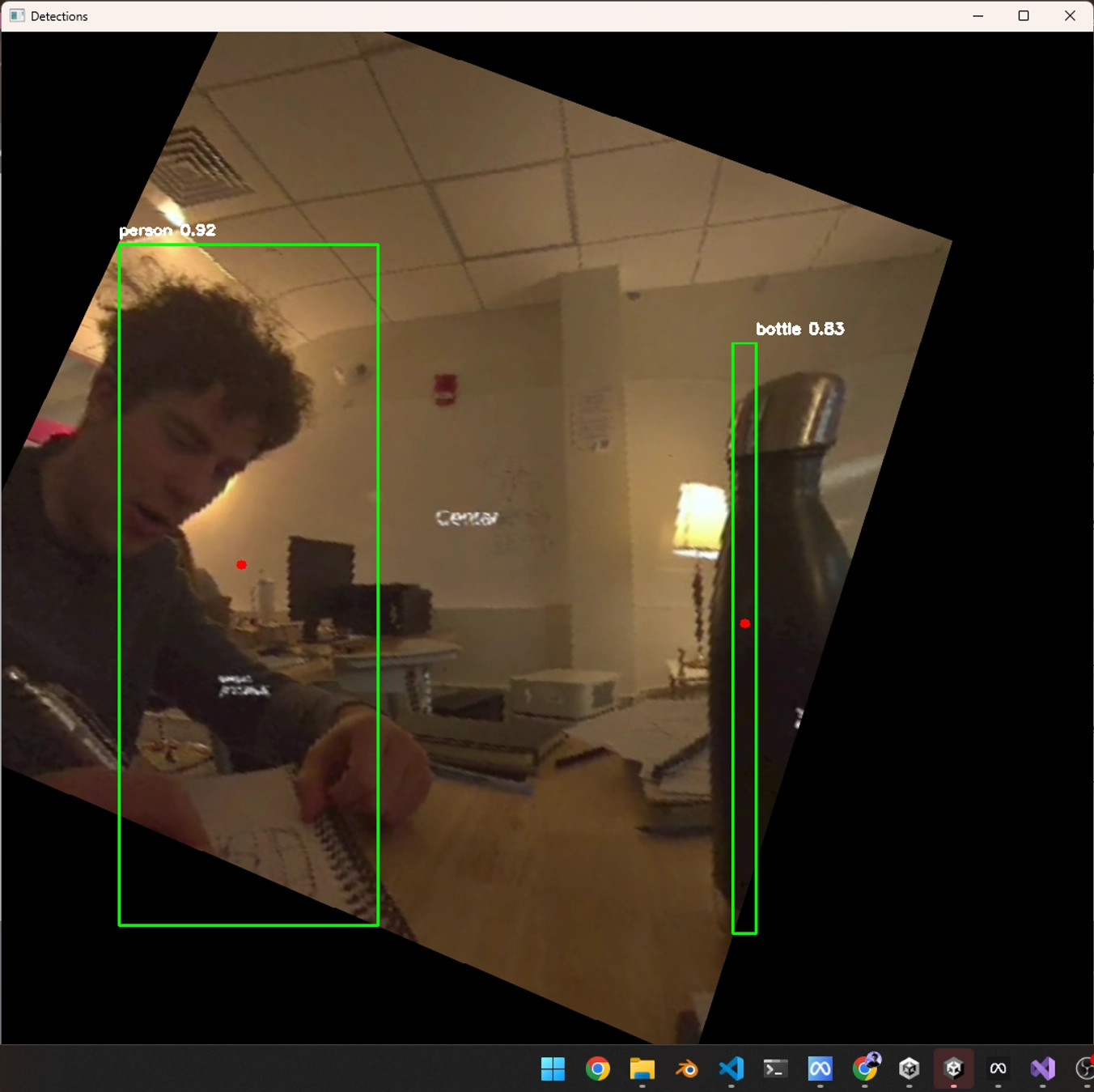
- Computer Vision Integration: Implemented YOLOv5 object detection with LiDAR-enhanced coordinate mapping
- Cloud Services Integration: Connected Google Cloud TTS/STT APIs for authentic pronunciation training
- Backend Architecture: Developed Python/Flask services for translation, speech processing, and learning analytics
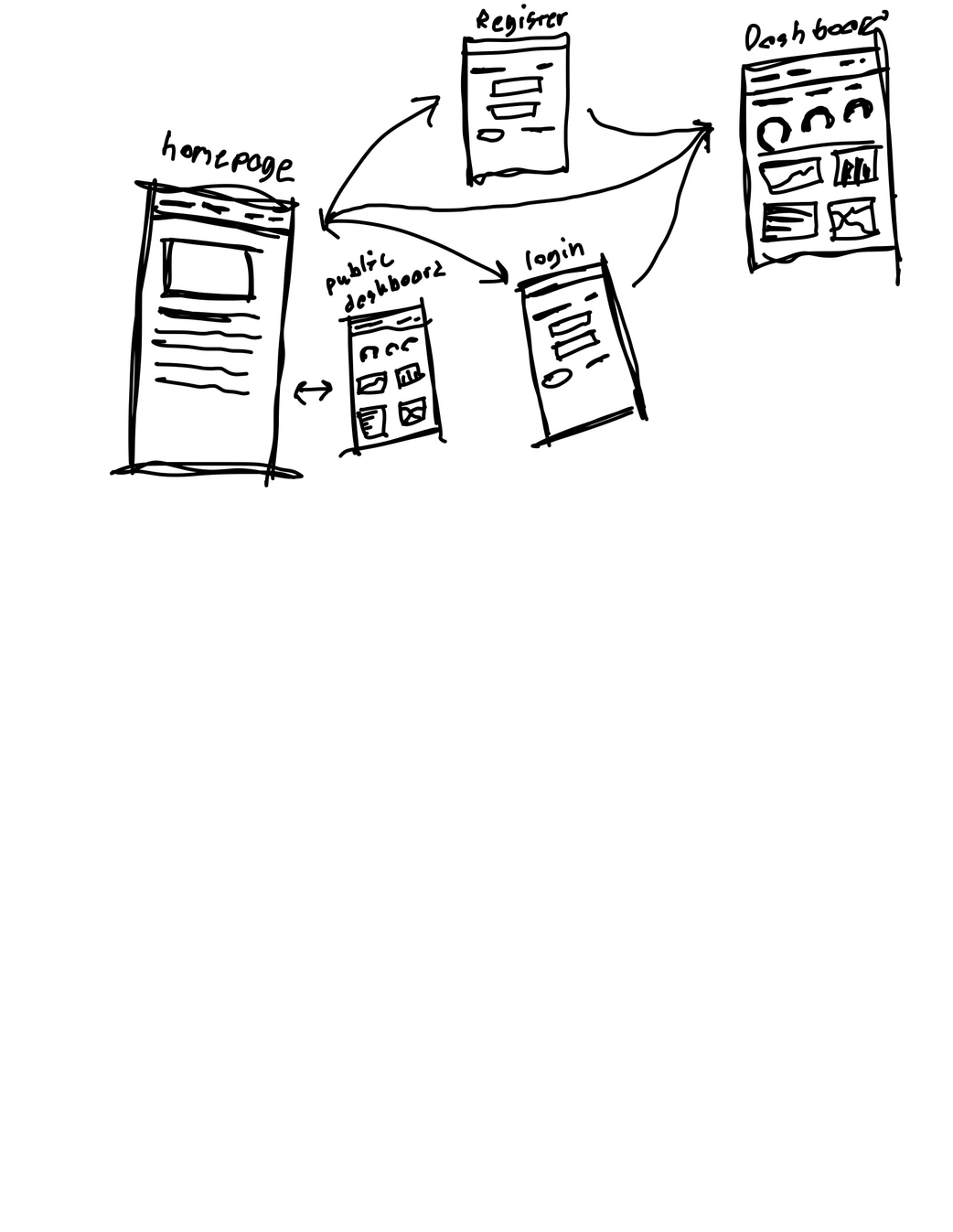
- Web Dashboard: Built SvelteKit interface for progress tracking and learning statistics
- Hardware Exploitation: Used ADB tools to access Quest 3 camera feeds for enhanced computer vision
The project demonstrates how advanced XR technology can create more natural and effective language learning experiences by anchoring vocabulary to real-world context.
Tech Stack
- Unity (C#) – Quest 3 XR application, spatial flashcard rendering, voice interaction
- Meta Quest 3 – LiDAR depth sensing, fisheye cameras, spatial tracking, microphone input
- YOLOv5/Python – Real-time object detection and classification
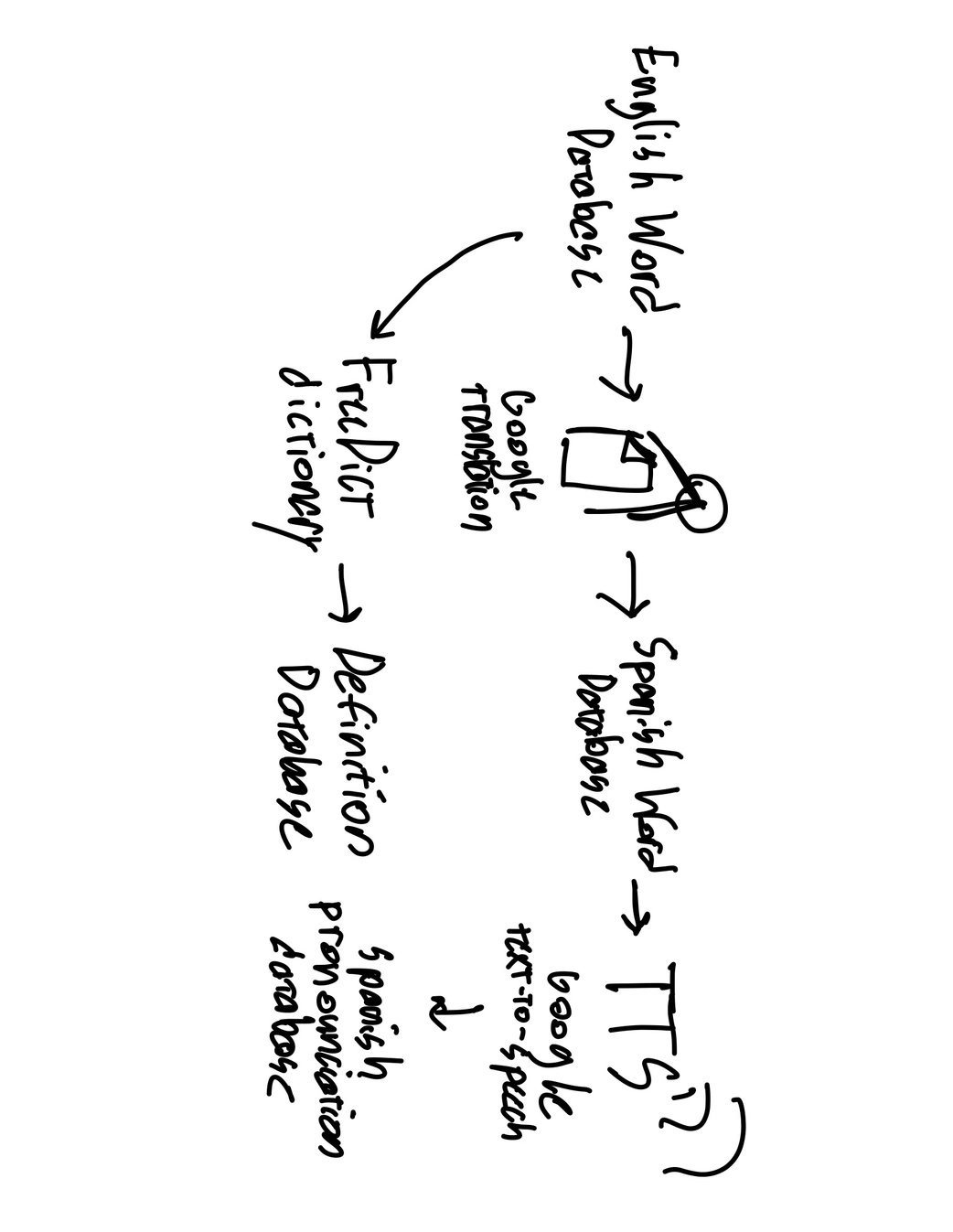
- Google Cloud TTS – Native Spanish pronunciation audio generation
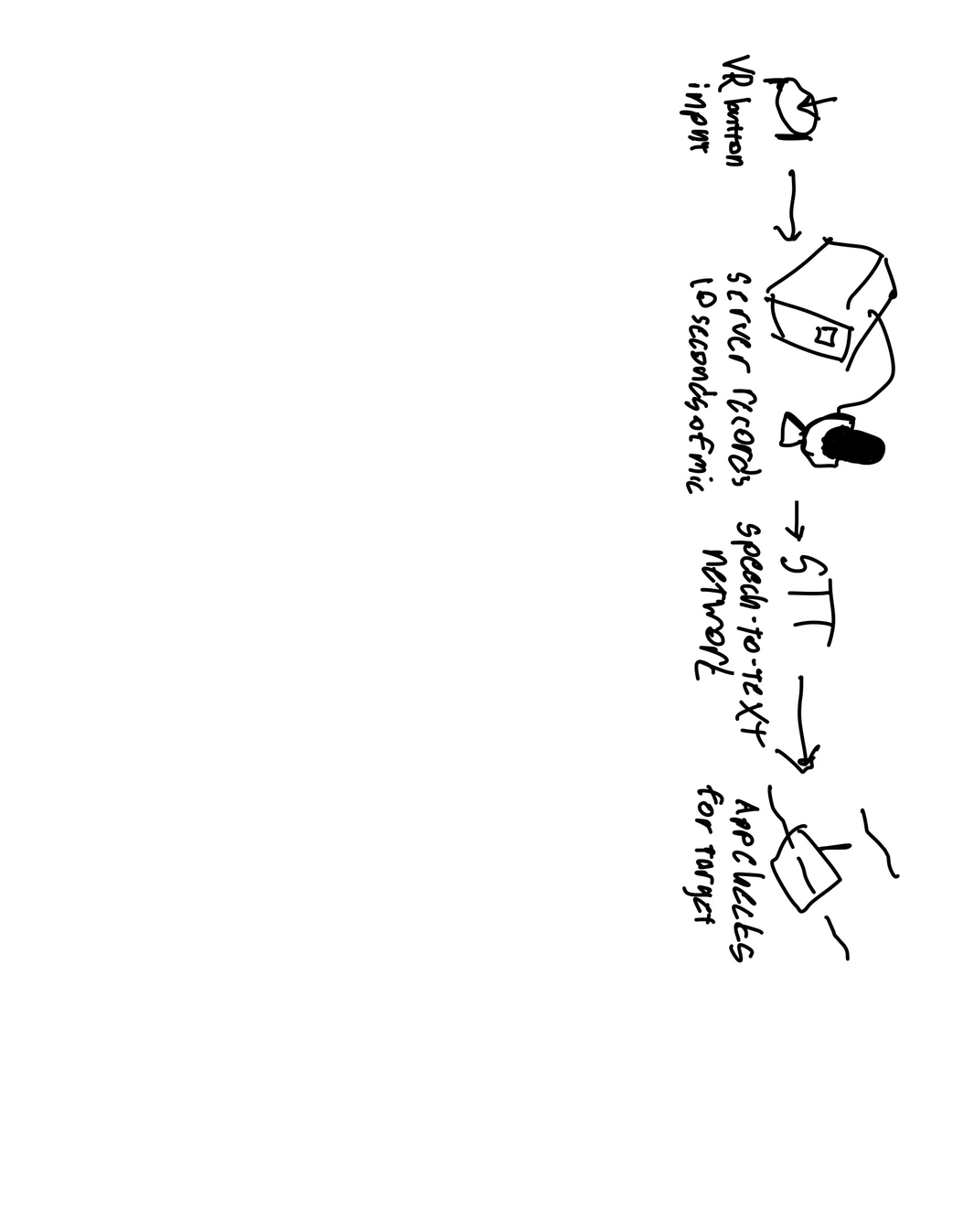
- Google Cloud STT – User pronunciation analysis and feedback
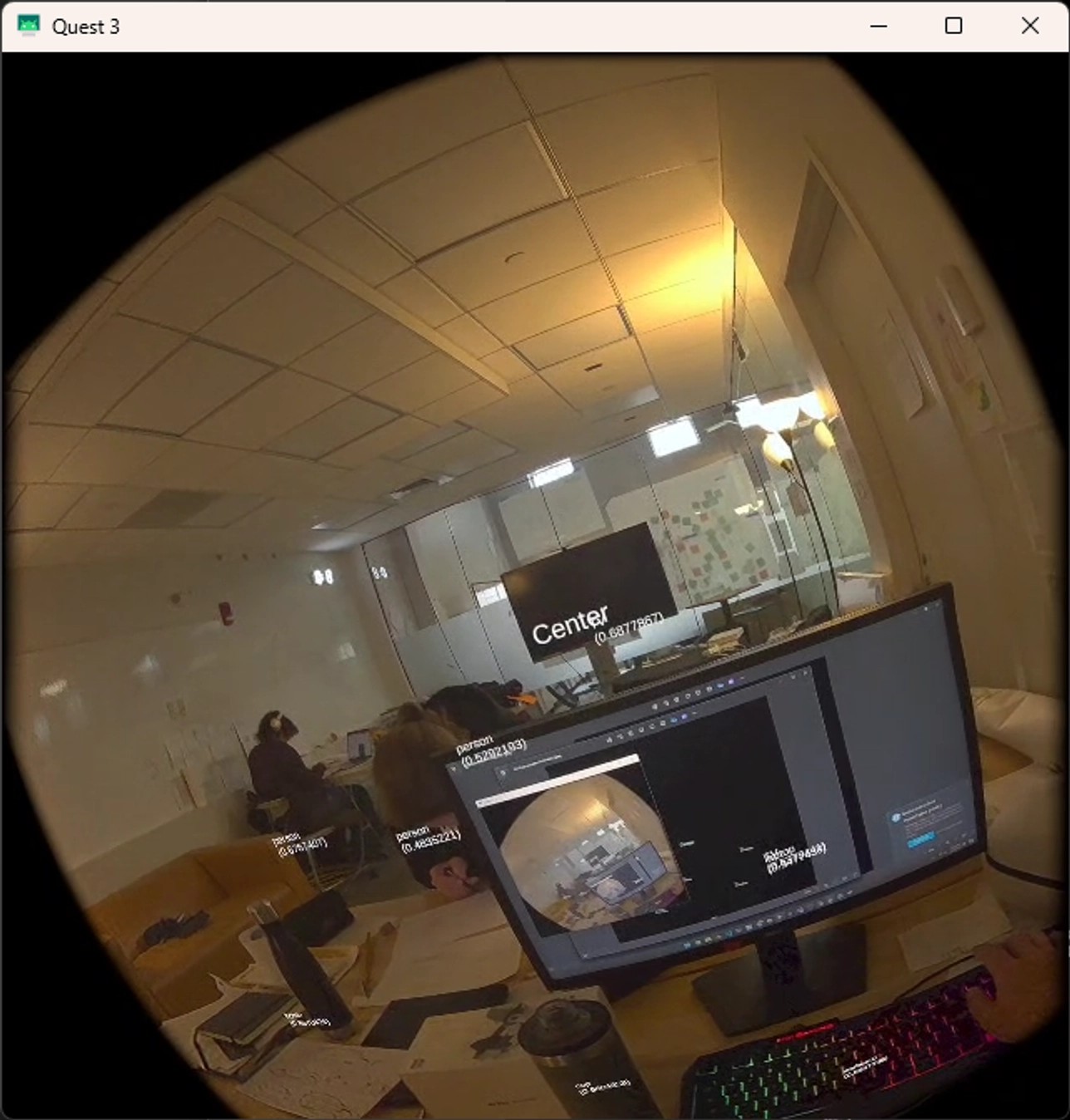
- OpenCV – Camera calibration, lens distortion correction
- Flask/Python – Backend API for translation, speech processing, and learning analytics
- SvelteKit/Node.js – Web-based statistics dashboard and progress tracking
- ADB Tools – Direct Quest 3 camera access for enhanced computer vision
- Docker – Containerized backend services and ML model serving
Problem
Traditional language learning apps lack real-world context and immersion, making it difficult for learners to connect vocabulary with actual objects and situations. I wanted to solve several key challenges in language education:
- Contextual Learning: How to anchor Spanish vocabulary to real-world objects for better retention
- Pronunciation Training: Providing authentic native pronunciation examples and accurate feedback
- Immersive Experience: Creating natural learning environments that feel engaging rather than artificial
- Adaptive Assessment: Automatically generating quizzes based on individual learning progress
- Spatial Accuracy: Precisely positioning virtual flashcards on detected real-world objects
- Progress Tracking: Comprehensive analytics to monitor learning effectiveness and areas for improvement
Approach / Architecture
The system creates an immersive Spanish learning pipeline that bridges computer vision, spatial computing, and cloud-based language services:
Core Architecture
Quest 3 Sensor Layer
LiDAR depth sensing, fisheye cameras, spatial tracking, and microphone input for comprehensive environmental understandingComputer Vision Pipeline
YOLOv5 object detection with OpenCV lens correction, identifying real-world objects for vocabulary associationSpatial Mapping System
LiDAR-enhanced coordinate mapping to precisely position Spanish flashcards on detected objectsLanguage Learning Engine
Google Cloud TTS/STT integration for pronunciation training, adaptive quiz generation, and progress trackingUnity XR Application
Immersive flashcard rendering, voice interaction, and spatial learning experienceBackend Services
Flask-based APIs for translation, speech processing, learning analytics, and progress persistenceWeb Analytics Dashboard
SvelteKit interface for detailed learning statistics and progress visualization
Key Educational Innovations
Contextual Vocabulary Anchoring: When the system detects a “bottle” in the environment, it overlays the Spanish flashcard “botella” directly onto that object, creating immediate visual and spatial association between the word and its real-world referent.
Adaptive Pronunciation Training: Google Cloud TTS provides native Spanish pronunciation for each vocabulary word, while STT analyzes user pronunciation attempts and provides detailed feedback on accuracy, helping learners develop authentic accent and intonation.
Progressive Quiz Generation: As users demonstrate mastery of individual flashcards through repeated correct pronunciation, the system automatically generates contextual quizzes, testing both recognition and production of Spanish vocabulary in realistic scenarios.
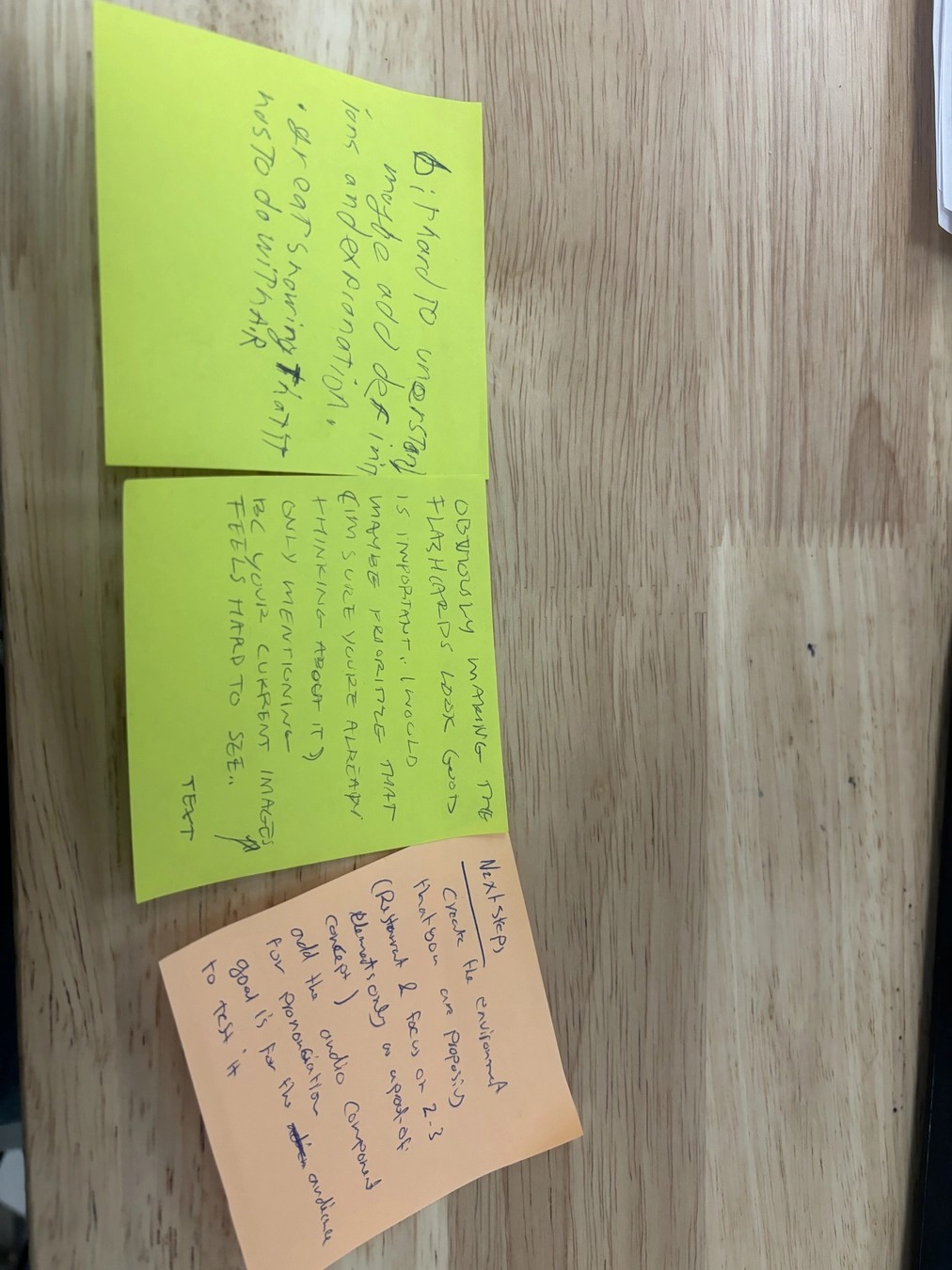
Key Features
- Real-World Object Detection – YOLOv5 identifies objects for contextual Spanish vocabulary overlay
- Spatial Flashcard Rendering – LiDAR-precise positioning of vocabulary cards on detected objects
- Google Cloud TTS Integration – Authentic native Spanish pronunciation for all vocabulary
- Google Cloud STT Analysis – Real-time pronunciation feedback and accuracy scoring
- Adaptive Learning System – Automatic quiz generation based on individual progress
- Immersive XR Environment – Natural learning experience anchored to physical reality
- Progress Analytics – Comprehensive learning statistics and performance tracking
- Web-Based Dashboard – Detailed progress visualization and learning insights
- Voice-Controlled Interaction – Hands-free learning through speech recognition
- Contextual Quiz Mode – Object-based testing that reinforces real-world vocabulary connections
Technical Details
Computer Vision and Object Detection
The foundation of contextual learning relies on accurate real-world object identification:
YOLOv5 Integration: I implemented a custom object detection pipeline that identifies common household and environmental objects, mapping each to corresponding Spanish vocabulary:
# Object detection with Spanish vocabulary mapping
class SpanishVocabularyDetector:
    def __init__(self):
        self.model = torch.hub.load('ultralytics/yolov5', 'yolov5s')
        self.vocabulary_map = {
            'bottle': {'spanish': 'botella', 'pronunciation': '/bo-ˈte-ʎa/'},
            'chair': {'spanish': 'silla', 'pronunciation': '/ˈsi-ʎa/'},
            'book': {'spanish': 'libro', 'pronunciation': '/ˈli-βɾo/'},
            'cup': {'spanish': 'taza', 'pronunciation': '/ˈta-sa/'}
        }

    def detect_and_translate(self, image):
        results = self.model(image)
        detections = []

        for detection in results.pandas().xyxy[0].itertuples():
            if detection.name in self.vocabulary_map:
                vocab_data = self.vocabulary_map[detection.name]
                detections.append({
                    'bbox': [detection.xmin, detection.ymin, detection.xmax, detection.ymax],
                    'english': detection.name,
                    'spanish': vocab_data['spanish'],
                    'pronunciation': vocab_data['pronunciation'],
                    'confidence': detection.confidence
                })

        return detections
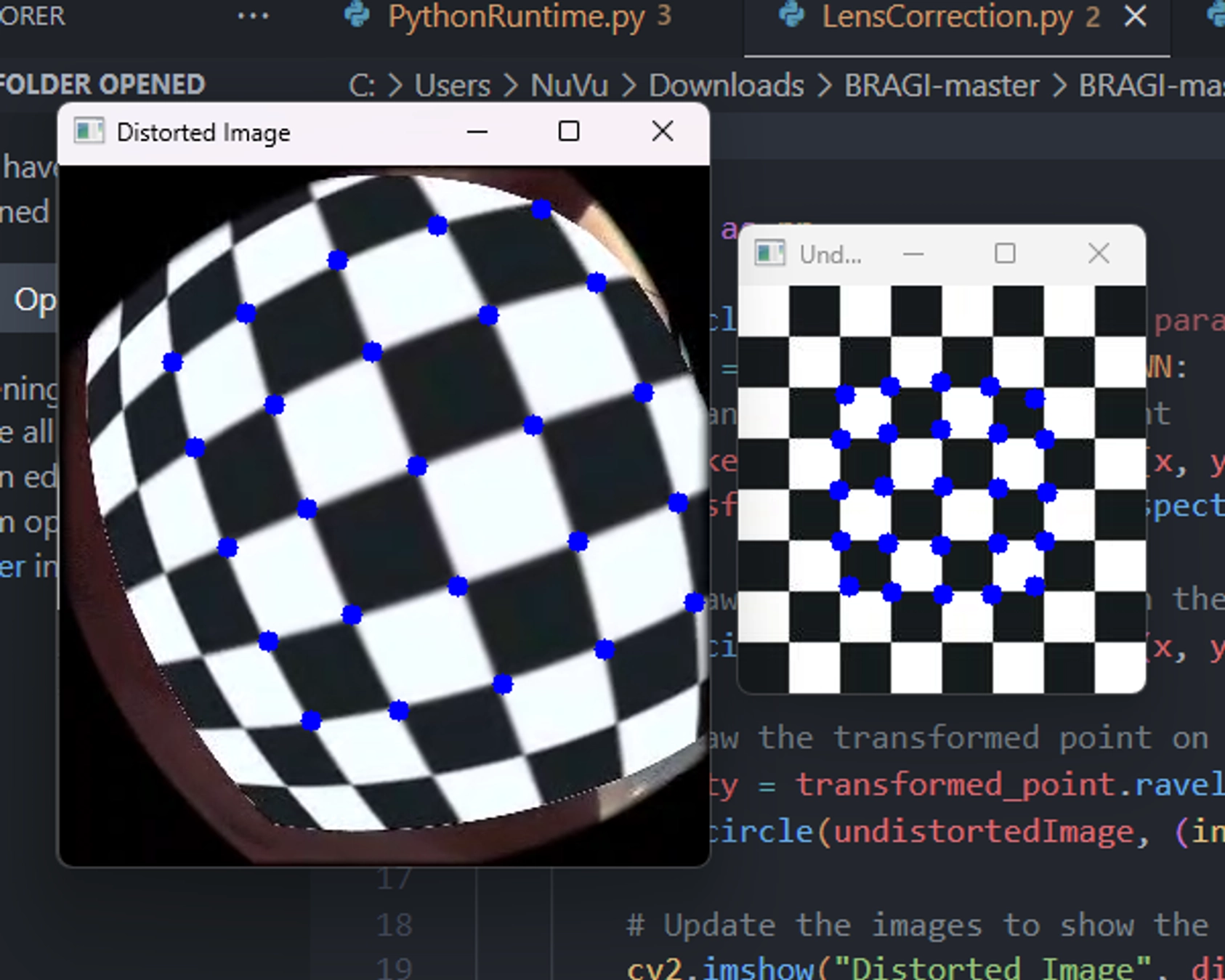
Lens Distortion Correction: Quest 3’s fisheye cameras require calibration for accurate object detection:
Google Cloud Speech Services Integration
Text-to-Speech for Pronunciation: Each Spanish vocabulary word is rendered with authentic native pronunciation using Google Cloud TTS:
from google.cloud import texttospeech

class SpanishPronunciationService:
    def __init__(self):
        self.tts_client = texttospeech.TextToSpeechClient()
        self.voice = texttospeech.VoiceSelectionParams(
            language_code="es-ES",
            name="es-ES-Standard-A",
            ssml_gender=texttospeech.SsmlVoiceGender.FEMALE
        )
        self.audio_config = texttospeech.AudioConfig(
            audio_encoding=texttospeech.AudioEncoding.MP3
        )

    def generate_pronunciation(self, spanish_word):
        synthesis_input = texttospeech.SynthesisInput(text=spanish_word)
        response = self.tts_client.synthesize_speech(
            input=synthesis_input,
            voice=self.voice,
            audio_config=self.audio_config
        )
        return response.audio_content
Speech-to-Text for Pronunciation Assessment: User pronunciation attempts are analyzed for accuracy and feedback:
from google.cloud import speech

class PronunciationAssessment:
    def __init__(self):
        self.stt_client = speech.SpeechClient()
        self.config = speech.RecognitionConfig(
            encoding=speech.RecognitionConfig.AudioEncoding.WEBM_OPUS,
            sample_rate_hertz=48000,
            language_code="es-ES",
            enable_automatic_punctuation=True
        )

    def assess_pronunciation(self, audio_data, target_word):
        audio = speech.RecognitionAudio(content=audio_data)
        response = self.stt_client.recognize(config=self.config, audio=audio)

        if response.results:
            recognized_text = response.results[0].alternatives[0].transcript.lower()
            confidence = response.results[0].alternatives[0].confidence

            # Calculate pronunciation accuracy
            accuracy = self.calculate_similarity(recognized_text, target_word.lower())

            return {
                'recognized': recognized_text,
                'target': target_word,
                'accuracy': accuracy,
                'confidence': confidence,
                'feedback': self.generate_feedback(accuracy)
            }

        return {'error': 'No speech detected'}
Unity XR Learning Application
The Quest 3 application creates immersive learning experiences by precisely positioning Spanish flashcards on detected objects:
public class ImmersiveFlashcardSystem : MonoBehaviour
{
    [System.Serializable]
    public class SpanishFlashcard
    {
        public string englishWord;
        public string spanishWord;
        public string pronunciation;
        public AudioClip nativePronunciation;
        public int masteryLevel;
    }

    public void DisplayContextualFlashcard(Vector3 objectPosition, SpanishFlashcard flashcard)
    {
        // Create spatial anchor at detected object position
        var anchor = CreateSpatialAnchor(objectPosition);

        // Instantiate flashcard UI at precise location
        var flashcardUI = Instantiate(flashcardPrefab, objectPosition, Quaternion.LookRotation(Camera.main.transform.forward));
        flashcardUI.transform.SetParent(anchor.transform);

        // Configure flashcard content
        var cardComponent = flashcardUI.GetComponent<FlashcardDisplay>();
        cardComponent.SetContent(flashcard.spanishWord, flashcard.pronunciation);

        // Play native pronunciation
        var audioSource = flashcardUI.GetComponent<AudioSource>();
        audioSource.clip = flashcard.nativePronunciation;
        audioSource.Play();

        // Enable voice interaction for pronunciation practice
        EnablePronunciationPractice(flashcard);
    }

    private void EnablePronunciationPractice(SpanishFlashcard flashcard)
    {
        // Set up speech recognition for user pronunciation attempts
        var speechRecognizer = GetComponent<SpeechRecognitionManager>();
        speechRecognizer.StartListening(flashcard.spanishWord, OnPronunciationAttempt);
    }
}
Adaptive Learning and Quiz Generation
The system tracks user progress and automatically generates contextual quizzes:
class AdaptiveLearningEngine:
    def __init__(self):
        self.mastery_threshold = 0.85
        self.quiz_generation_threshold = 3  # successful pronunciations

    def update_progress(self, user_id, word, pronunciation_accuracy):
        # Update user's progress for specific vocabulary
        progress = self.get_user_progress(user_id, word)
        progress['attempts'] += 1

        if pronunciation_accuracy >= self.mastery_threshold:
            progress['correct_attempts'] += 1
            progress['mastery_level'] = min(progress['correct_attempts'] / self.quiz_generation_threshold, 1.0)

        # Generate quiz if word is sufficiently mastered
        if progress['correct_attempts'] >= self.quiz_generation_threshold and not progress['quiz_generated']:
            self.generate_contextual_quiz(user_id, word)
            progress['quiz_generated'] = True

        self.save_user_progress(user_id, word, progress)

    def generate_contextual_quiz(self, user_id, mastered_word):
        # Create quiz that tests the mastered word in context with other objects
        quiz_questions = []

        # Generate "identify the object" questions
        quiz_questions.append({
            'type': 'object_identification',
            'question': f'¿Cómo se dice "{mastered_word}" en español?',
            'correct_answer': self.vocabulary_map[mastered_word]['spanish'],
            'context': 'real_world_object'
        })

        return quiz_questions
Educational Application Demo
The system’s immersive Spanish learning capabilities are demonstrated through contextual vocabulary training:
The demo shows:
- Contextual Vocabulary: Spanish flashcards positioned directly on detected real-world objects
- Pronunciation Training: Google Cloud TTS providing native Spanish pronunciation
- Voice Recognition: Users practicing pronunciation with real-time STT feedback
- Adaptive Quizzing: System generating quiz flashcards based on learning progress
- Immersive Learning: Natural language acquisition through spatial and contextual association
Web-Based Learning Analytics
The SvelteKit dashboard provides comprehensive learning statistics and progress tracking:
The analytics platform includes:
- Vocabulary Progress: Individual word mastery levels and pronunciation accuracy
- Learning Streaks: Daily practice consistency and engagement metrics
- Pronunciation Analysis: Detailed feedback on accent and intonation improvement
- Contextual Learning Effectiveness: Statistics on object-vocabulary association success
- Quiz Performance: Adaptive assessment results and knowledge retention tracking
- Time-Based Analytics: Learning velocity and optimal practice session insights
Real-World Validation and Testing
I validated the system’s educational effectiveness through extensive testing:
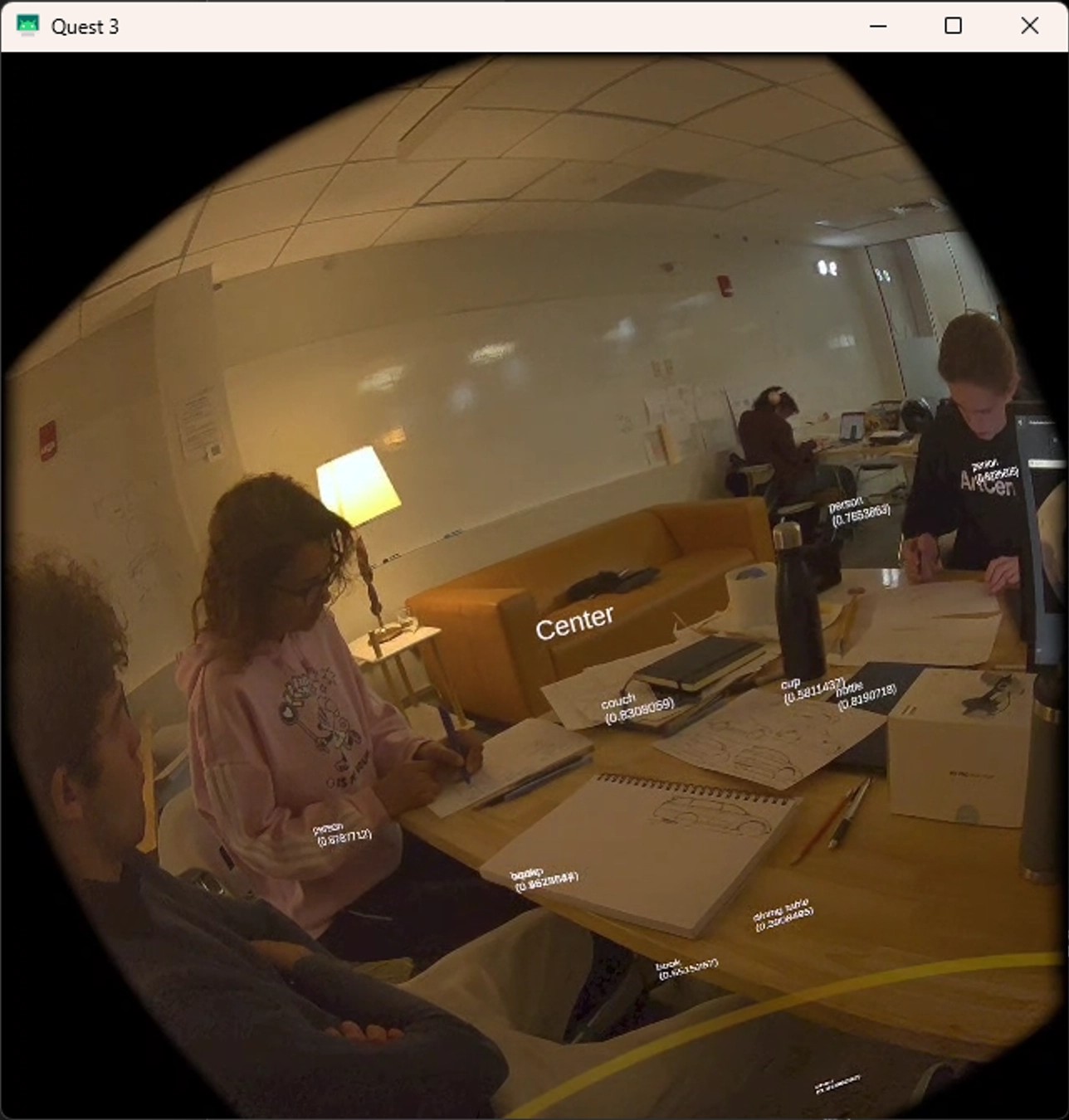
Spatial Accuracy Testing: Verified that Spanish flashcards appear precisely positioned on detected objects, maintaining accuracy during head movement and environmental changes.
Pronunciation Assessment Validation: Compared Google Cloud STT analysis with native Spanish speaker evaluations to ensure accurate pronunciation feedback.
Learning Effectiveness Studies: Tracked vocabulary retention rates comparing traditional flashcard methods with contextual XR learning.
Lessons Learned
Contextual Learning Effectiveness: Anchoring vocabulary to real-world objects dramatically improves retention and recall. Users consistently performed better on vocabulary tests when words were learned through spatial association rather than traditional methods.
Pronunciation Training Complexity: Google Cloud STT provides excellent recognition accuracy, but pronunciation assessment requires careful calibration. Regional accent variations and individual speech patterns needed accommodation in the feedback algorithms.
Immersive Technology Adoption: Users initially experienced a learning curve with XR interfaces, but engagement and satisfaction increased significantly once comfortable with the spatial interaction paradigms.
Adaptive Learning Importance: Automatic quiz generation based on individual progress proved crucial for maintaining appropriate challenge levels. Fixed curriculum approaches led to user frustration and disengagement.
Technical Integration Challenges: Coordinating real-time object detection, spatial positioning, cloud speech services, and Unity rendering required careful optimization to maintain smooth user experience.
Educational Design Principles: The most technically impressive features weren’t always the most educationally effective. Simple, consistent interactions often produced better learning outcomes than complex XR mechanics.
Cross-Platform Data Management: Synchronizing learning progress between the Quest 3 application and web analytics required robust offline handling and conflict resolution strategies.
Voice Recognition Environmental Factors: Background noise, room acoustics, and multiple speakers significantly impacted speech recognition accuracy, requiring adaptive noise filtering and user guidance.
Spatial Persistence and Calibration: Maintaining accurate flashcard positioning across Guardian boundary resets and environmental changes required sophisticated recalibration systems.
User Privacy and Data Security: Handling voice recordings and learning analytics required careful attention to privacy policies and secure data transmission, especially with cloud-based speech services.
- Unity’s XR development tools are powerful but require deep understanding of spatial computing principles for effective educational applications
- Google Cloud Speech services provide excellent accuracy but need careful integration for real-time educational feedback
- SvelteKit excels at creating responsive analytics dashboards that effectively communicate learning progress
- Computer vision integration in educational contexts requires balancing accuracy with real-time performance constraints
- Immersive learning applications benefit significantly from comprehensive user testing across diverse learning styles and technical comfort levels
Links
- Code: GitHub – IsaiahJMurray/BRAGI-master
- Demo: Live demonstration available upon request (requires Quest 3 hardware and Google Cloud API access)