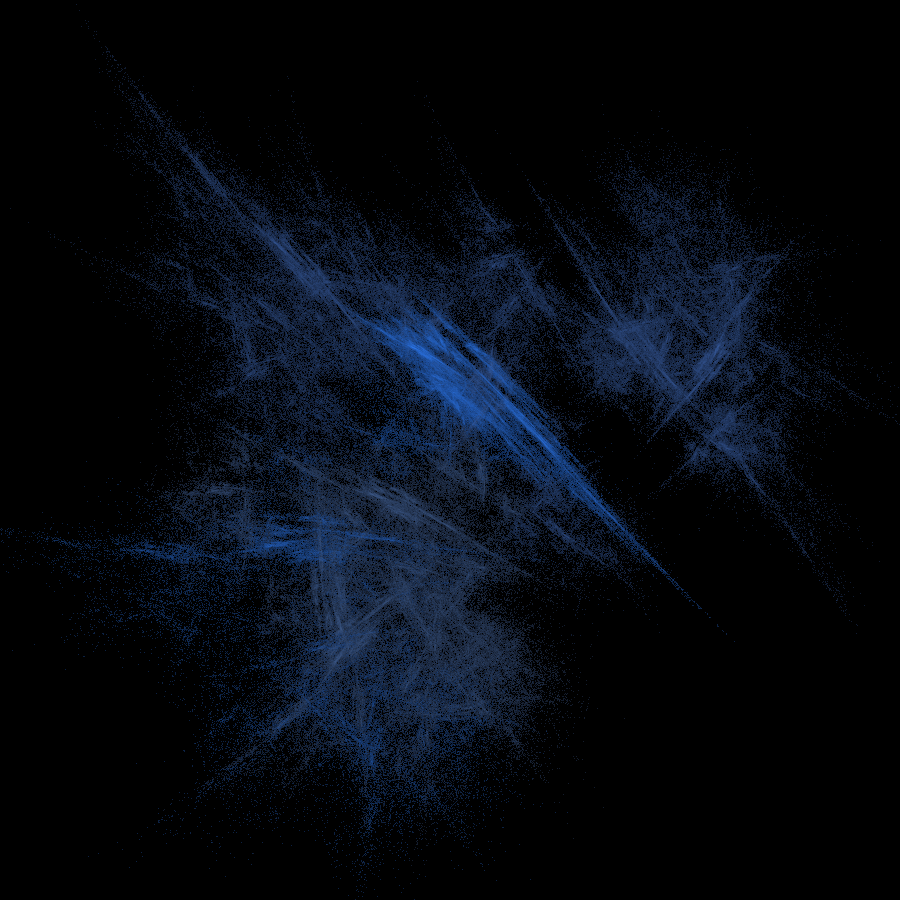
C Boids
High-performance Boids flocking simulation in C++ and SFML, rendering 1,000 agents navigating a 2D space with wrap-around boundaries. Designed for graphics and game dev enthusiasts exploring emergent behavior, it adds obstacle-aware steering, leader boids, and tunable separation/alignment/cohesion radii and coefficients.
Overview
This project is a real-time Boids simulation written in C++ using SFML for rendering. I implemented a classic flocking model—separation, alignment, and cohesion—extended with basic obstacle avoidance and leader behavior. The simulation runs with up to 1000 boids moving within a 2D world, wrapping around the screen while interacting with rectangular obstacles.
Role & Context
I built this project independently as a way to deepen my understanding of:
- Steering behaviors and emergent flocking
- Basic real-time simulation constraints in C++
- Practical use of SFML for 2D graphics and input
It started as an experiment to see how far I could push a straightforward, single-file implementation before needing more advanced optimization or architectural patterns.
Tech Stack
- C++
- SFML (Simple and Fast Multimedia Library)
Problem
I wanted to simulate flocking behavior in a way that feels natural and visually engaging, while also incorporating:
- A large number of agents (up to 1000 boids) moving in real time
- Rectangular obstacles that boids must avoid or bounce off
- A simple way to designate and treat “leader” boids differently
- Basic performance and stability safeguards (speed limiting, world wrapping)
The challenge was to do this with clear, understandable code rather than heavily optimized or over-engineered architecture.
Approach / Architecture
I took a minimal, data-oriented approach:
- Represent boids and obstacles as lightweight
structs with just the state needed for simulation and rendering. - Keep the core simulation loop straightforward: update positions, enforce physics constraints, then render.
- Use compile-time
#defineconstants to quickly tune simulation parameters (e.g., radii, coefficients, speeds) without changing logic. - Implement obstacle interaction directly inside the boid update step to avoid complex spatial structures, given the modest obstacle count.
The architecture is intentionally flat and contained in a single file (main.cpp) to keep the focus on the flocking logic and steering rules.
Key Features
- Real-time 2D visualization of up to 1000 boids using SFML
- Classic flocking rules: separation, alignment, and cohesion
- Rectangular obstacles with collision response
- World wrapping at screen boundaries
- Speed clamping to keep boid motion stable and visually coherent
- Leader flag on boids that alters drag behavior
Technical Details
Core data structures
struct Rectangle- Stores
x,y,width,height. - Methods:
bool intersects(Rectangle& other)for basic AABB intersection.void draw(sf::RenderWindow& window)to render a filled black rectangle.
- Stores
struct Boid- Stores position (
x,y) and velocity (vx,vy). bool leaderto indicate whether this boid is a leader (affecting drag).bool colliding(Rectangle* rect, float prediction_factor = 0):- Predicts a future position by
pred_x = x + vx * prediction_factor,pred_y = y + vy * prediction_factor. - Checks whether that predicted point lies inside the rectangle bounds.
- Predicts a future position by
void update(std::vector<Boid*> input_boids, std::vector<Rectangle*> input_rectangles):- Integrates position:
x += vx; y += vy; - Applies drag unless the boid is a leader.
- Wraps around when crossing world bounds (
WIDTH,HEIGHT). - Clamps speed to
Max_SPEEDby converting to polar coordinates (atan2,cos,sin). - Iterates over rectangles and checks for collisions:
- If colliding, it determines which side of the rectangle was hit and:
- Repositions the boid to the rectangle edge.
- Inverts the appropriate velocity component (
vxorvy), giving a bounce effect.
- If colliding, it determines which side of the rectangle was hit and:
- Integrates position:
- Stores position (
Simulation parameters
Simulation constants are defined with #define for straightforward tuning:
- Population and world:
NUM_BOIDS(e.g., 1000)WIDTH,HEIGHTfor window sizeDRAGfactor controlling velocity decay for non-leader boids
- Flocking behavior:
SEARCH_RADIUSSEPERATION_RADIUS,ALIGNMENT_RADIUS,COHESION_RADIUSSEPERATION_COEFFICIENT,ALIGNMENT_COEFFICIENT,COHESION_COEFFICIENT
- Obstacles:
NUM_RECTSOBSTACLE_COEEFFICIENT(used to adjust response strength)
- Motion constraints:
Max_SPEED,MIN_SPEEDPREDICTION_FACTORfor collision prediction (used bycolliding)
These constants allow quick iteration over the “feel” of the flocking without changing control flow.
Update and collision logic
The update flow inside Boid::update is:
- Integrate current velocity into position.
- Apply drag:
- If
leader == false, scalevxandvybyDRAG.
- If
- World wrapping:
- If
x < 0, setx = WIDTH, and similarly for other edges.
- If
- Speed clamping:
- If
sqrt(vx*vx + vy*vy) > Max_SPEED, compute the movement angle and rescale(vx, vy)toMax_SPEED.
- If
- Rectangle collisions:
- For each rectangle, call
colliding(rect, 0). - On collision:
- Extract rectangle bounds.
- Determine if the boid is to the left, right, above, or below the rectangle.
- Snap
xoryto the edge and invert the respective velocity component, creating a simple reflection.
- For each rectangle, call
This logic combines straightforward kinematics with simple but effective collision handling sufficient for basic obstacle avoidance and visual clarity.
Results
- Achieved a visually coherent flocking simulation with up to 1000 boids in real time.
- Demonstrated emergent behavior (group movement and clustering) from relatively simple local rules.
- Verified stable performance and motion by:
- Enforcing speed limits.
- Using world wrapping to avoid boids getting “stuck” at boundaries.
- Keeping collision checks simple and predictable.
Lessons Learned
- Small, local rules (separation, alignment, cohesion) can create surprisingly complex global behavior.
- Even in simple simulations, speed clamping and boundary handling are critical for visual stability.
- Using compile-time constants is a fast way to iterate on simulation “feel,” but a configuration system would be more flexible for future extensions.
- Representing entities as plain
structs keeps the mental model simple, which is helpful when focusing on behavior rather than architecture.
Links
- GitHub Repository
- Live Demo (placeholder)